How It Works
Record a match in three steps
No camera operator, no technician. Learn the setup once; it's the same three steps every match.
Step 1/3
Set up
Screw Hexa onto a tripod, place it at the halfway line 4–10 m behind the sideline, raise it to 3–5 m. Press the power button; the app finds the camera over Wi-Fi.
Tip
The higher and farther back the camera, the sharper the far corner.
Step 2/3
Show it the pitch
Tap "Set up pitch" in the app. The camera finds the pitch lines on its own and proposes the four corners; you check and confirm, or drag a corner with your finger. You only do this once per pitch.
Tip
If the lines are faded, mark the corners by hand; this step matters for framing quality.
Step 3/3
Start recording
Start recording and get back to the match. Hexa stitches the two lenses into one panorama on the device while the virtual camera operator follows the play. Stop when the match ends.
Tip
The battery covers a 90-minute match; on a tournament day, charge between matches.
Afterwards
When the match ends
The recording is ready in the app: a panorama of the whole pitch and a broadcast-style auto-framed video. Watch on your phone, download to a computer, share with players. Player analytics and live streaming coming soon.
- Stop the recording
- Join Hexa's Wi-Fi on your phone
- Watch, download, share
- Panorama
- The whole pitch in one frame; stitched on the device.
- Auto-framed
- The virtual operator follows the play; broadcast aspect ratio.
- Do I need internet?
- No. Your phone connects to the camera's own Wi-Fi; you only need internet to share the recording.
- How do I send it to parents?
- Download the recording to your phone or a computer, then share the file or a link from your own channel (WhatsApp, Drive, YouTube).
- Where do recordings go?
- They stay on the camera and wherever you download them; nothing is uploaded to a Hexa server.
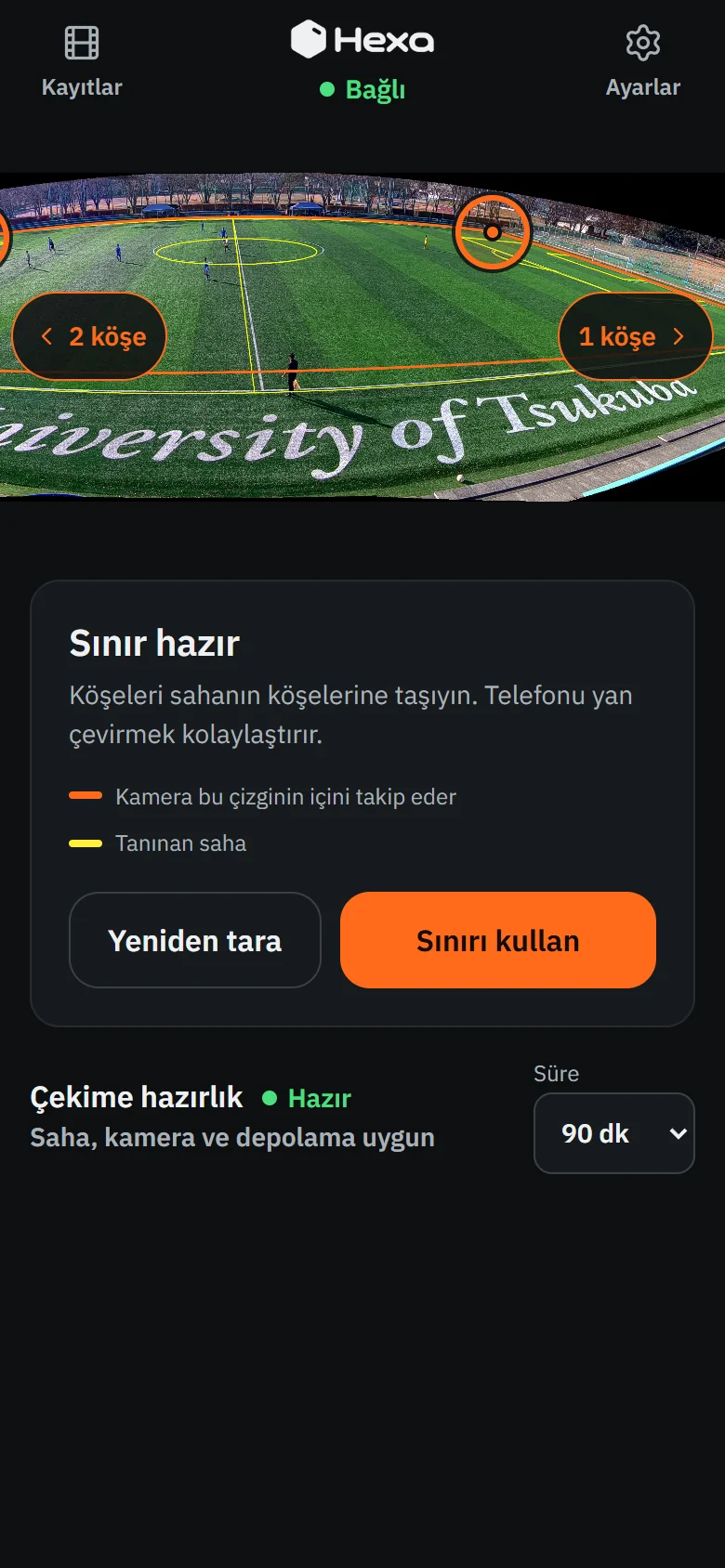
Pitch setup 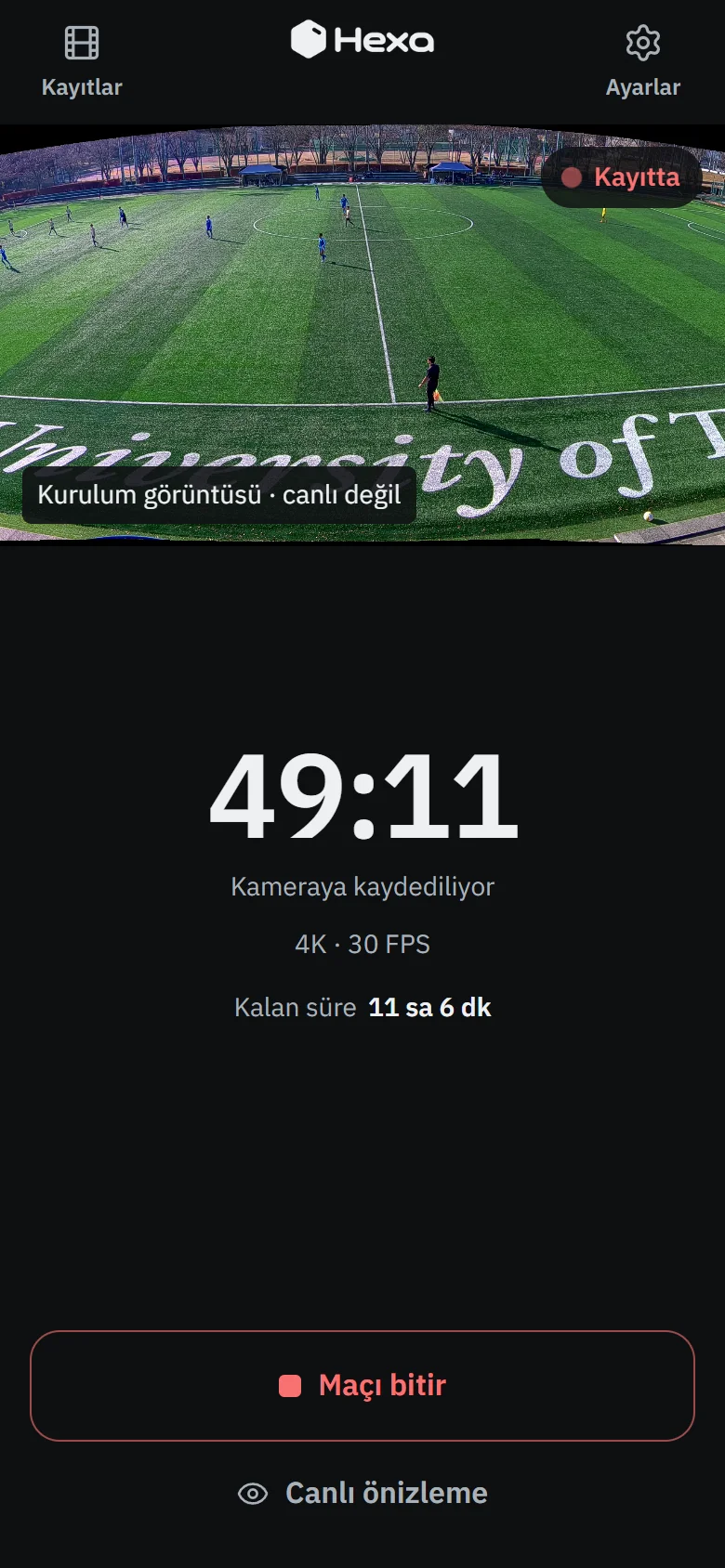
Recording 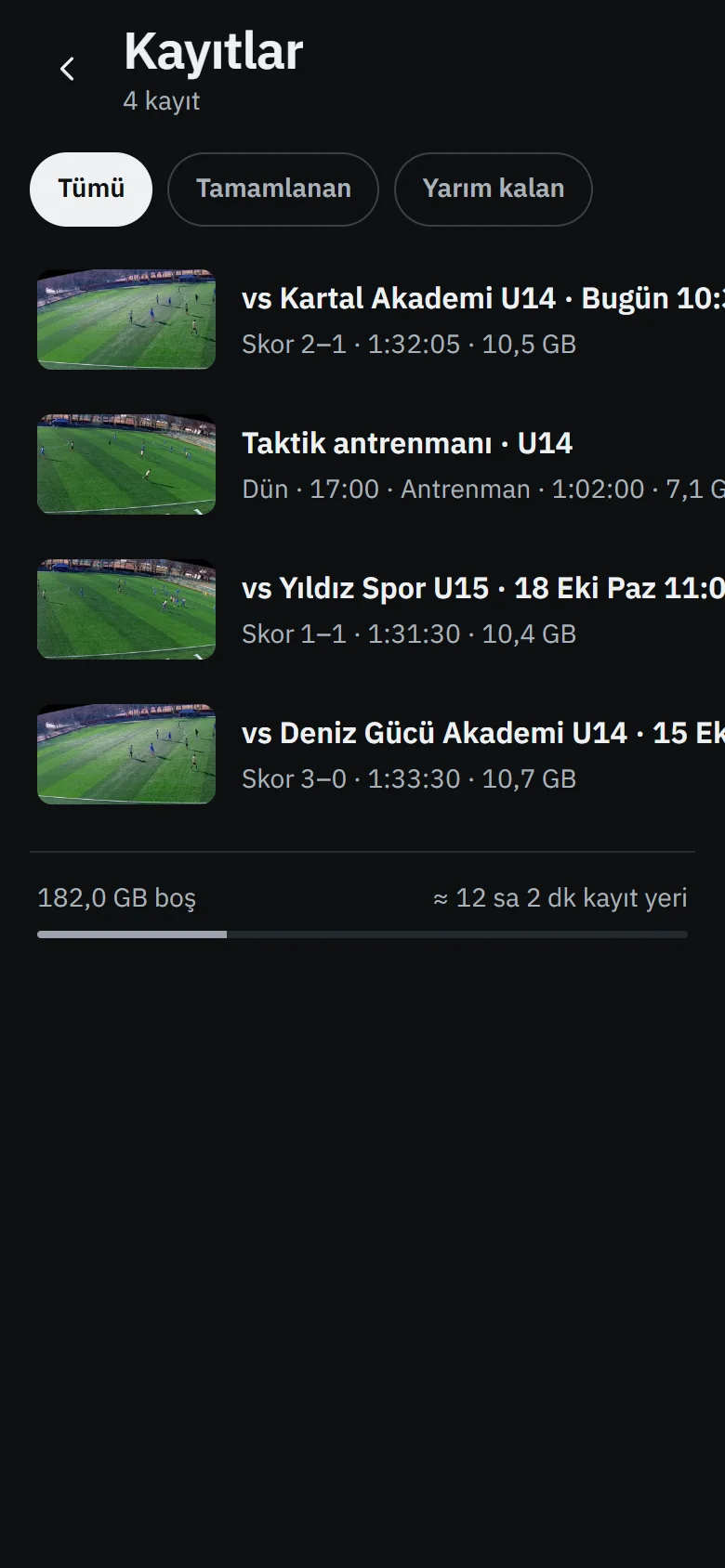
Recordings 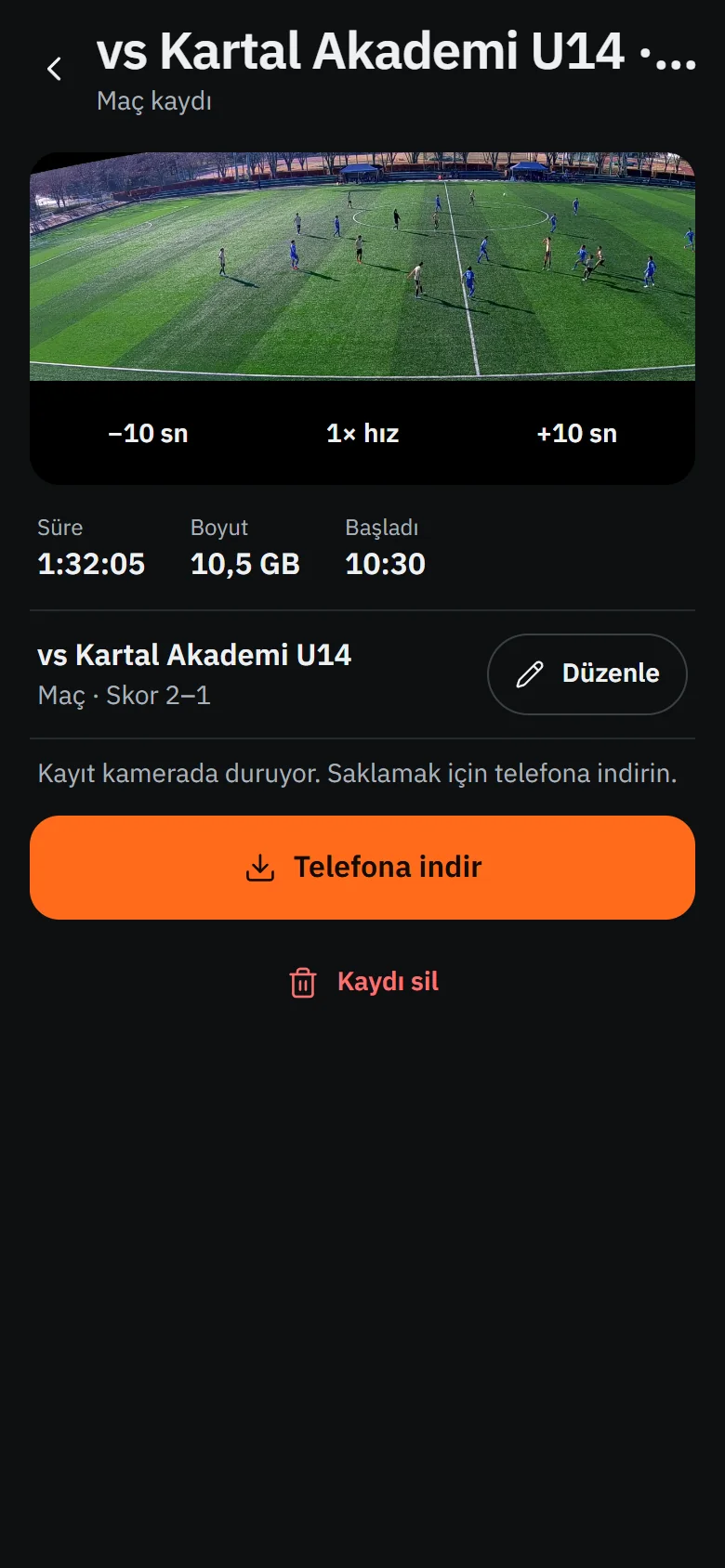
Watch · download
Match footage on the screens: open dataset recording (SoccerTrack v2) — not filmed with a Hexa camera
Checklist
What you need
- A tripod or light stand with a 1/4-inch thread (4–5 m recommended)
- An Android or iOS phone with the Hexa app
- Room to set up 4–10 m behind the sideline
- A charged battery; charge with the adapter in the box
Want to see the setup first?
On a video call we'll walk you through a sample recording and the setup step by step; ask your questions there.